A CRM with invoicing lets you send the quote, raise the invoice and record the payment on the same deal, without copying details into separate billing software.
There are two ways to get it: a CRM with invoicing built in, or a CRM connected to accounting software such as QuickBooks or Xero. Built-in suits small sales teams that sell to businesses and want to see who has paid. A connected setup suits companies whose accountant already runs everything in accounting software.
Why invoicing belongs next to the deal
When the CRM and invoicing are separate, three things go wrong:
- Details get retyped. Someone copies the customer, line items and prices from the deal into the invoice. Typos lead to disputed invoices, and a disputed invoice gets paid late.
- Sales can't see who has paid. The rep closes the deal, then has no idea whether the customer paid. Follow-ups go to the wrong people.
- Revenue reports don't match. The CRM says "won". Accounting says "unpaid". Nobody knows which number is real.
A CRM with invoicing fixes this by keeping the quote, invoice and payments on one record. For the full picture of where money gets stuck, see our guide to the quote to cash process.
Built-in invoicing vs CRM plus accounting software
| Built-in invoicing | CRM connected to accounting software | |
|---|---|---|
| How it works | Create the invoice inside the CRM, from the deal | The CRM sends deal data to QuickBooks, Xero or similar |
| Best for | Small B2B sales teams, agencies, service businesses | Companies with an accountant or finance team already using accounting software |
| Setup | Minutes | Needs an integration, and sometimes a paid connector |
| Payment status in the CRM | Yes, on the deal | Only if the integration syncs it back |
| Watch out for | Check it handles your tax rate and currency | Sync errors and duplicate customers |
Many teams use both: invoices are created and tracked in the CRM, and totals are exported to accounting software for the books.
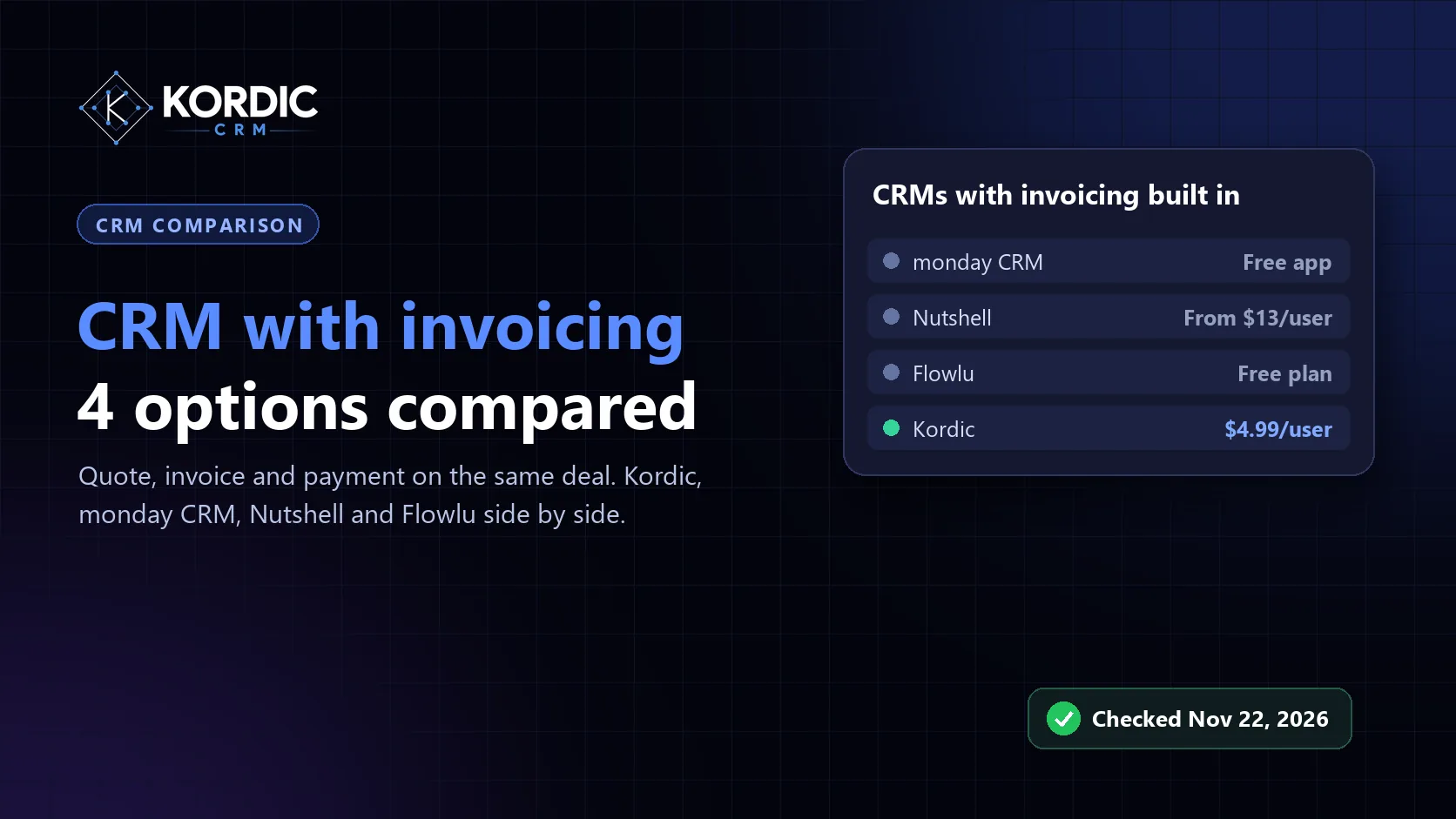
4 CRMs with invoicing built in
Details below come from each company's own website, checked November 22, 2026.
1. Kordic
Kordic is a deal-to-cash CRM with invoicing built in. You build the quote on the deal, turn it into an invoice, and record payments against it, so the deal shows what's been sold, billed and paid. Tax is a percentage rate you set, so it works in any country. It also includes AI lead scoring, sales forecasting, multiple pipelines, Gmail and WhatsApp integrations, and iOS and Android apps.
Price: Starter $4.99 per user per month. Growth $39.99 per month for 10 users. Business $99.99 per month for 25 users. This Black Friday, new customers get 75% off: $1.25, $10 and $25. See pricing. Best for: small B2B sales teams that want to see every unpaid invoice next to the deal.
2. monday CRM
monday CRM offers a Quotes & Invoices app that creates quotes and invoices inside the monday.com workspace. monday describes the app as free. Best for: teams already using monday.com for projects.
3. Nutshell
Nutshell lets you create, send, track and get signatures on quotes, invoices and contracts in the CRM. Its plans start at $13 per user per month, with a 14-day free trial. Check which plan includes quotes and invoices before buying. Best for: sales teams that also need e-signatures on contracts.
4. Flowlu
Flowlu describes itself as a CRM with invoicing built in, including online invoicing and online payments, alongside project management. It offers a free plan. Best for: teams that want CRM, invoicing and project tasks in one tool.
What to check before you choose
- Quote to invoice in one click. If you have to rebuild the invoice by hand, you've only moved the problem.
- Payment tracking. Can you record partial payments and see what's still owed on each deal?
- Tax and currency. Can you set your own tax rate and bill in your customers' currency?
- Payment terms. Can you set net 30 or other terms, and see the due date? Our guide to net 30 payment terms explains why this matters.
- Export. Can you export invoices and payments for your accountant?
- Price as you grow. Price the plan you'll be on in a year, not the entry plan.
When you don't need a CRM with invoicing
- You sell online with instant card payment. Your store or payment provider already handles billing.
- You send a handful of invoices a year. Accounting software alone is enough.
- Your finance team must create every invoice in the accounting system for compliance reasons. Use a CRM that connects to it instead.
Try Kordic
If your team sends quotes, raises invoices and chases payments, Kordic keeps all three on the deal. This Black Friday, new customers get 75% off, free setup and free data migration from your current CRM. Start with Kordic.
Related questions
Can a CRM send invoices?
Is a CRM with invoicing the same as accounting software?
What's the best CRM with invoicing for a small business?
See how Kordic takes a deal from quote to paid invoice. See invoicing in Kordic or check pricing.